If you have spent any amount of time exploring the intricacies of on-page SEO, you have likely encountered a common source of confusion: the debate between Title Tags vs H1 tags. At first glance, they seem to do the exact same job. Both describe what your web page is about, and both act as headlines. However, they serve distinctly different purposes for search engines and human readers.
Understanding proper web page structure is a foundational step in optimizing your site. When you use these two elements correctly, you signal to search engines exactly what your content is about while simultaneously enticing users to click on your links.
In this comprehensive guide, we will break down the true nature of Title Tags vs H1, explore how to optimize both, and clarify why knowing the difference is critical for your website's success.
What is a Title Tag?
A title tag is an HTML element that specifies the title of a web page. Unlike the text you read on a blog post or landing page, the title tag lives entirely in the backend of your site's code, within the section.
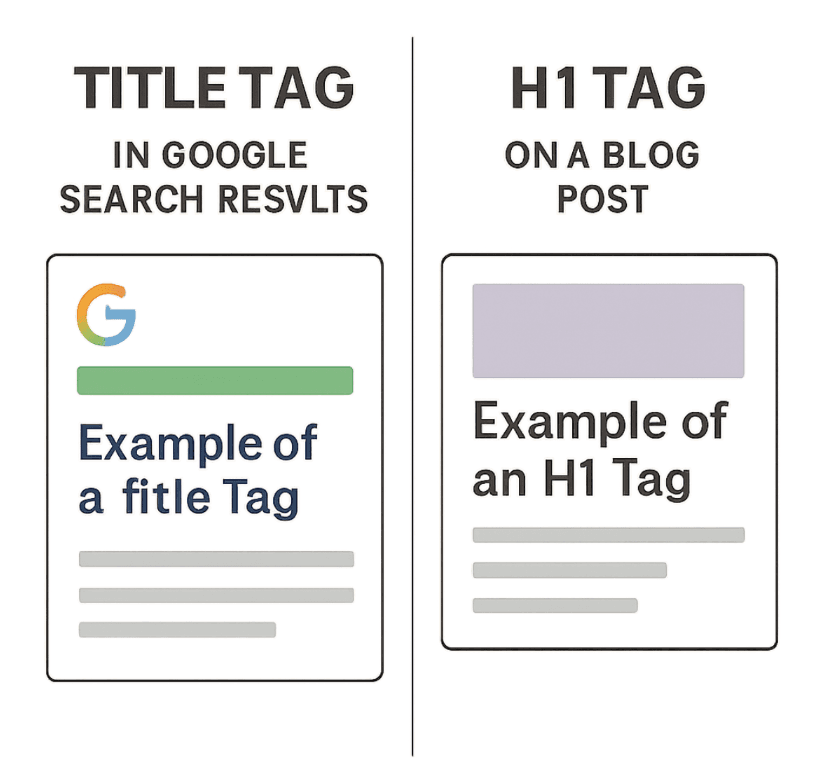
When looking at the HTML title element vs heading tags, the distinction is primarily about location. You will never see the title tag written on the actual web page itself. Instead, it appears in three vital places:
- Search Engine Results Pages (SERPs): This is the clickable blue link that appears when someone searches on Google or Bing.
- Web Browser Tabs: When you have multiple tabs open, the text hovering on the tab itself is dictated by the title tag.
- Social Media Shares: When you share a link on platforms like Facebook, X (formerly Twitter), or LinkedIn, the platform automatically pulls the title tag to display as the preview headline.
Because this element acts as the digital storefront for your content, getting the optimal character length for SEO titles is incredibly important. If your title is too long, search engines will truncate it with an ellipsis (...), cutting off crucial information. The general rule of thumb is to keep your title tags between 50 and 60 characters to ensure they display perfectly across desktop and mobile screens.
To help generate effective title tags, you might find an SEO Title Generator handy.
What is an H1 Tag?
The H1 tag, or Header 1, is a specific type of HTML element used to indicate the primary visible headline on a web page. Unlike the title tag, the H1 tag lives in the of your website's code and is entirely visible to your readers.
When using HTML tags to format content, H1s act as the title of a book, whereas H2s, H3s, and H4s act as chapter titles and sub-sections. Properly utilizing these tags ensures that your text is broken up logically, making it easier for human eyes to skim and digest the information.
The Core Difference: SEO Metadata vs On-Page Headers
To fully grasp the concept of Title Tags vs H1, it is helpful to look at them as a transition from the search engine to the website.
The title tag is metadata designed to introduce your page to the world. Its primary job is to convince a user browsing a search engine to click on your link. The H1 tag is an on-page header designed to welcome the user once they have arrived. Its primary job is to confirm they are in the right place and encourage them to read further.
When discussing the difference between browser titles and content headings, it boils down to the audience's current stage in the user journey. The title tag hooks them from afar; the H1 tag anchors them once they land.
Does H1 Need to Match Page Title?
One of the most frequently asked questions in digital marketing is: does H1 need to match page title exactly?
The short answer is no. They do not need to be identical. In fact, making them slightly different is often considered one of the leading SEO best practices.
Because your title tag is constrained by character limits, it needs to be punchy, keyword-rich, and optimized for clicks. Your H1 tag, however, does not have a strict character limit. You can afford to be more descriptive, creative, and conversational with your H1 because the user is already on your site.
For example:
- Title Tag: Best Running Shoes for Flat Feet | BrandName (52 characters)
- H1 Tag: The 10 Best Running Shoes to Support Flat Feet and Prevent Injury
Why is My Title Tag Different from My H1 Automatically?
Sometimes, you might look at your website and wonder, "why is my title tag different from my H1 even though I didn't change it?" This usually happens for two reasons. First, many Content Management Systems (CMS) like WordPress are set up to automatically append your brand name to the end of your title tag (e.g., "Post Title - My Awesome Blog"). Second, Google frequently rewrites title tags in the SERPs if it believes your H1 tag or other on-page text better answers the searcher's query.
Best Practices for Title Tags
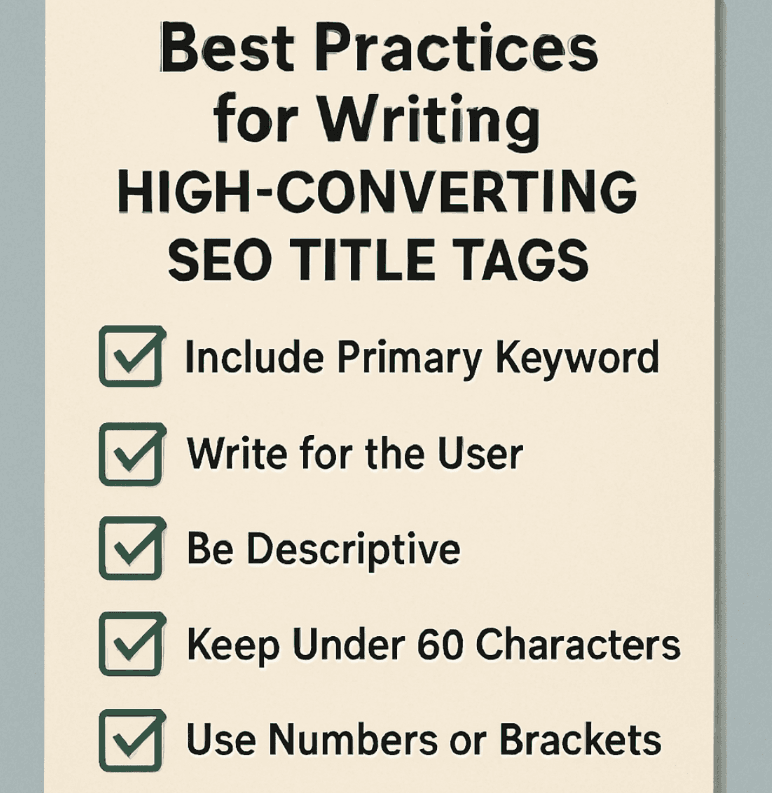
When optimizing the tag, your main goal should be improving click-through rate with titles. A higher click-through rate (CTR) not only brings more traffic to your site but also acts as a positive signal to search engines that your content is highly relevant.
Here is how to optimize them effectively:
- Front-load your primary keyword: Place your most important keywords as close to the beginning of the title as possible.
- Keep it under 60 characters: Prevent search engines from truncating your message.
- Write for humans, not bots: Avoid keyword stuffing. The title should sound natural and compelling.
- Use intent-matching modifiers: Add words like Best, Guide, Review, How-to, or 2024 to align perfectly with what users are searching for.
- Focus on the user: Optimizing page titles for user experience means clearly stating the value the reader will get by clicking your link.
Best Practices for Header 1 Tags
While your title tag gets the click, your H1 tag sets the stage for the rest of your content. Implementing best practices for header 1 tags ensures your audience stays on the page, reducing your bounce rate.
- Use only one H1 tag per page (Usually): While HTML5 allows for multiple H1s, the impact of multiple H1 tags on ranking is heavily debated. Standard SEO practice recommends sticking to a single H1 to maintain a clear, unambiguous hierarchy.
- Make it descriptive: The H1 should accurately summarize the entire page's content.
- Match user intent: When writing compelling headlines for blog posts, ensure the H1 fulfills the promise made by the title tag in the SERPs. If a user clicks a title expecting a tutorial but the H1 suggests a sales pitch, they will leave.
- Incorporate long-tail keywords: Because you aren't restricted by character limits, naturally weave in secondary or long-tail keywords.
How Search Engines Interpret Your Page Structure
To master SEO, you must understand how to structure on-page content for SEO from a machine's perspective. When Google bots crawl your site, they do not "read" it the way a human does. They rely heavily on HTML markup to understand context.
Search Engine Crawler Interpretation of Headings
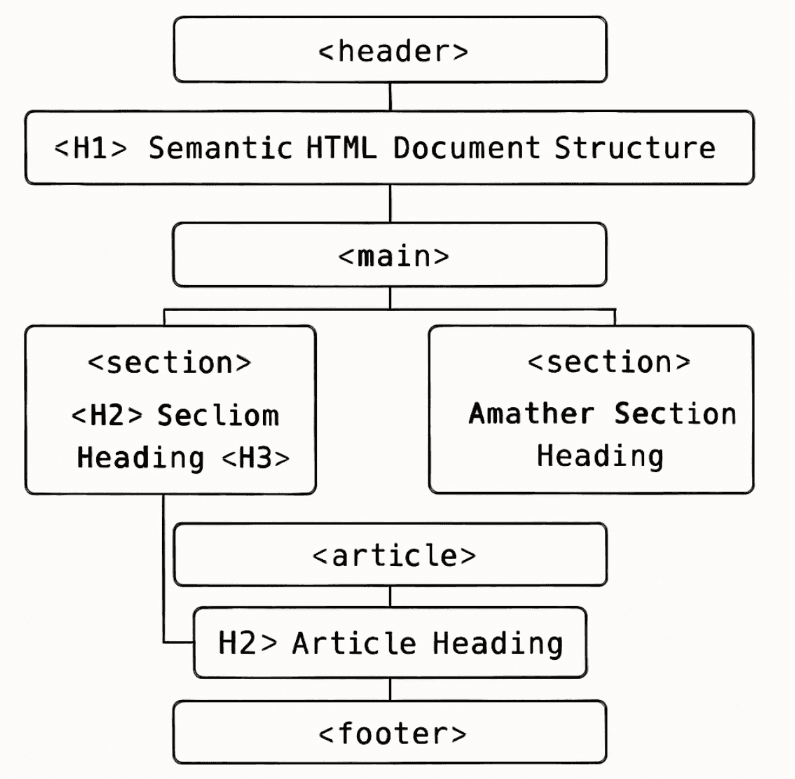
The search engine crawler interpretation of headings is hierarchical. Crawlers look at your H1 to determine the overarching theme of the page. Then, they look at your H2s to understand the main sections, and your H3s to understand sub-points within those sections.
If you compare title tags vs h tags generally (including H2-H6), the title tag tells the crawler the identity of the entire document, while the H tags provide a detailed table of contents. Skipping heading levels (like jumping from an H1 directly to an H4) confuses crawlers and weakens your on-page SEO.
Semantic HTML and Accessibility
Using a semantic HTML structure for search engines isn't just about ranking; it is deeply tied to user accessibility. Search engines prioritize websites that offer excellent user experiences to everyone.
Following web accessibility standards for page headers ensures that screen-reader software—used by visually impaired individuals—can accurately interpret and navigate your site. Screen readers allow users to jump from heading to heading to skim an article, much like a sighted user would. If you bold your text and increase the font size instead of using actual heading tags (H1, H2, H3), screen readers won't recognize the structure, resulting in a poor, inaccessible experience.
Conclusion: Mastering On-Page SEO
At the end of the day, understanding the nuances of Title Tags vs H1 is about maximizing the effectiveness of every element on your website.
To summarize:
- The Title Tag is for search engines and social platforms. It exists to grab attention, communicate relevance, and win the click.
- The H1 Tag is for the users on your website. It exists to introduce the on-page content, confirm user intent, and encourage them to keep reading.
By embracing these differences and implementing proper header hierarchies, you are not only satisfying search engine algorithms but also providing a far superior, accessible experience for your human visitors. Stop leaving your traffic up to chance; apply these strategies today to build a foundationally sound website that ranks higher and converts better.
If you're in need of further assistance with generating optimized titles, consider checking out our SEO Title Generator for expert guidance!
Generate Perfect SEO Titles in Seconds
Stop guessing and start ranking. Our SEO Title Generator instantly creates click-worthy, keyword-optimized titles tailored to your topic — no copywriting degree required.
- Left-loaded keywords for maximum search visibility
- Power words baked in for higher click-through rates
- Character count validation so you never get truncated