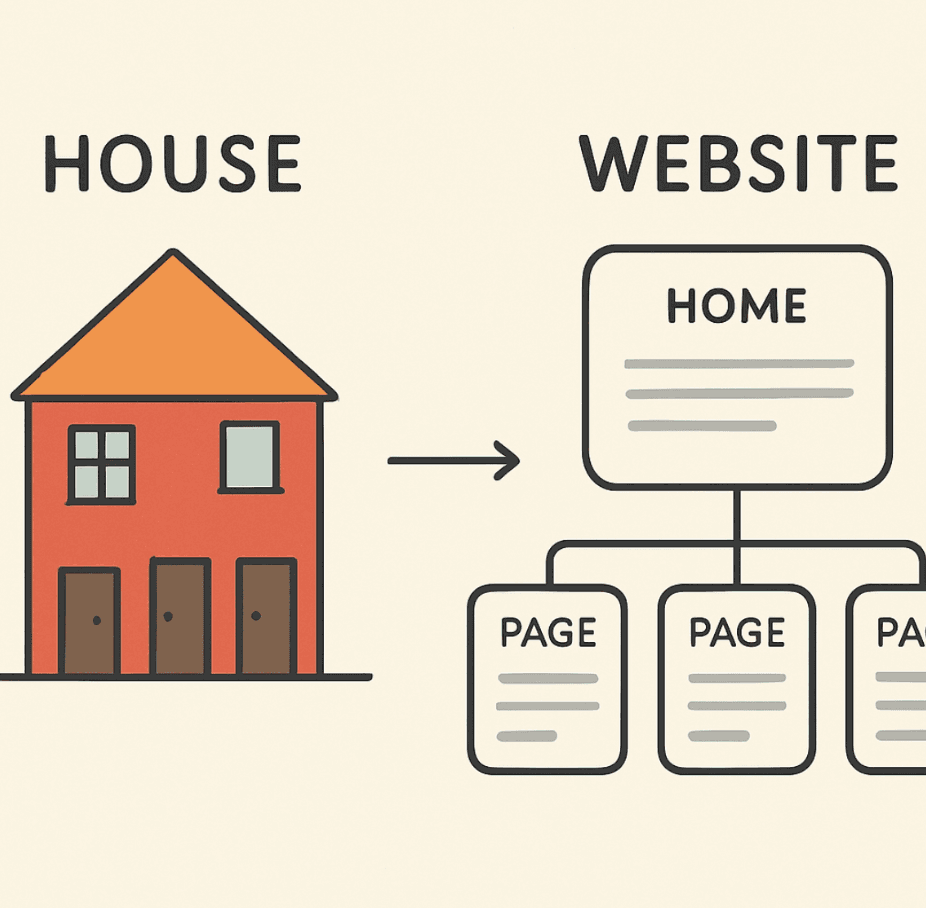
Imagine building a beautiful, sprawling mansion, but forgetting to install hallways or doors between the rooms. No matter how incredible the architecture is, nobody can explore the house. In the digital world, launching a website without a thoughtful linking structure is exactly the same mistake.
If you want to maximize your organic traffic, you need to understand How Internal Links Improve SEO. While many marketers spend all their time and budget chasing backlinks from other sites, they often overlook the massive potential lying dormant within their own domain.
In this comprehensive guide, we will explore exactly why internal links for SEO are a game-changer, how they benefit both search engine bots and human visitors, and the actionable steps you can take to build a strategy that drives real results.
The Basics: Internal vs External Link Building
Before diving into advanced tactics, it is important to draw a clear line between internal vs external link building.
External link building (or backlinking) involves getting other websites to link to yours. It acts as a vote of confidence from the outside world. Internal linking, on the other hand, connects one page of your website to another page on the same domain.
While external links are crucial for building overall domain authority, they are notoriously difficult to control. Internal links are 100% within your control. By strategically placing links across your own pages, you can instantly improve site SEO, direct traffic exactly where you want it to go, and signal to search engines which pages are the most important. For more about internal links, check our article on Internal Linking Strategy Guide.
External link building (or backlinking) involves getting other websites to link to yours. It acts as a vote of confidence from the outside world. Internal linking, on the other hand, connects one page of your website to another page on the same domain.
While external links are crucial for building overall domain authority, they are notoriously difficult to control. Internal links are 100% within your control. By strategically placing links across your own pages, you can instantly improve site SEO, direct traffic exactly where you want it to go, and signal to search engines which pages are the most important. For more about internal links, check our article on Internal Linking Strategy Guide.
The SEO Power of Internal Links
Search engines like Google use links to discover new content and evaluate the value of pages. Here is a breakdown of the technical SEO benefits provided by a strong internal network.
Maximizing Search Engine Crawl Budget
Search engine bots are constantly crawling the web, but they do not have infinite resources. They assign a "crawl budget" to your site---a limit on how many pages they will crawl in a given timeframe.
If your pages are not linked properly, bots will hit dead ends, and valuable content might never get indexed. A logical linking structure ensures spiders can efficiently move from page to page, ultimately maximizing search engine crawl budget and ensuring your newest updates are discovered instantly.
If your pages are not linked properly, bots will hit dead ends, and valuable content might never get indexed. A logical linking structure ensures spiders can efficiently move from page to page, ultimately maximizing search engine crawl budget and ensuring your newest updates are discovered instantly.
Distributing PageRank Effectively
When a high-authority page on your site (like your homepage or a viral blog post) links to another page, it passes a portion of its SEO value---often referred to as "link juice" or PageRank---to that destination.
By actively distributing PageRank effectively across your site, you ensure that authority does not just pool at the top of your domain. This is particularly vital for passing link equity to deep pages (like specific product pages or older, evergreen blog posts) that might not naturally attract external backlinks on their own.
By actively distributing PageRank effectively across your site, you ensure that authority does not just pool at the top of your domain. This is particularly vital for passing link equity to deep pages (like specific product pages or older, evergreen blog posts) that might not naturally attract external backlinks on their own.
Establishing Semantic SEO and Topical Authority
Modern search engines do not just look at keywords; they look at concepts and relationships. This is where semantic SEO and topical authority come into play.
By grouping related content together through internal links, you signal to Google that you are an absolute expert on a given subject. The most effective way to do this is by building topic clusters and content silos.
By grouping related content together through internal links, you signal to Google that you are an absolute expert on a given subject. The most effective way to do this is by building topic clusters and content silos.
- Pillar Page: A comprehensive, broad guide on a core topic (e.g., "Digital Marketing").
- Cluster Pages: In-depth articles on subtopics (e.g., "Email Marketing Strategy," "Social Media Ad Formats").
- The Link: The cluster pages all link back to the pillar page, and the pillar page links out to the clusters, creating a tight-knit web of relevance.
Boosting Engagement: The User Experience Factor
Google's algorithms increasingly reward websites that satisfy users. Internal links are not just for bots---they are essential tools for shaping the visitor journey.
Improving User Experience Through Navigation
A frustrating website causes visitors to leave. Clear, intuitive linking plays a massive role in improving user experience through navigation. When users can easily find related resources, product specifications, or contact forms right when they need them, they stay happy and engaged.
Keeping Visitors Engaged
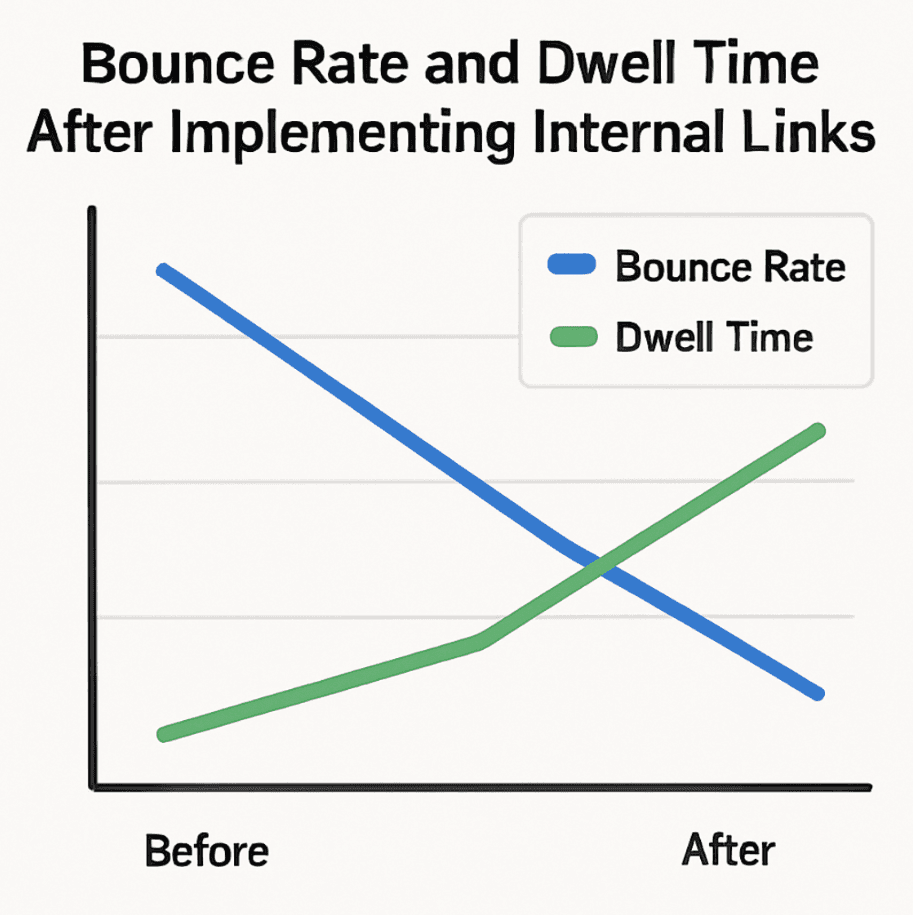
One of the most obvious benefits of a solid linking structure is reducing bounce rate with related links. If a user lands on a blog post, finds the answer they need, and sees no other relevant content, they will bounce back to the search results. But if you provide an enticing link to a related case study or a deeper tutorial, they click through.
Furthermore, this leads to increasing dwell time with internal bridges. Think of an internal bridge as a logical stepping stone from one piece of content to the next. By bridging the gap between a beginner's guide and an advanced tutorial, you keep the user on your site longer, sending massive positive engagement signals to search engines.
Furthermore, this leads to increasing dwell time with internal bridges. Think of an internal bridge as a logical stepping stone from one piece of content to the next. By bridging the gap between a beginner's guide and an advanced tutorial, you keep the user on your site longer, sending massive positive engagement signals to search engines.
Crafting a Winning Internal Linking Strategy
Knowing the benefits is one thing; executing a flawless internal linking strategy is another. Here are the practical steps to build an internal web that ranks.
Perfecting Website Hierarchy and Site Structure
Your strategy should start from the top down. A strong website hierarchy and site structure typically resembles a pyramid.
- Homepage: The top of the pyramid.
- Categories: The main pillars of your business or blog.
- Subcategories/Individual Posts: The base of the pyramid.
Every page should ideally be reachable within three to four clicks from the homepage. A flat, logical hierarchy ensures that authority flows effortlessly downward and that users never get lost in a maze of disconnected menus.
The Importance of Contextual Link Placement
Where you put your link matters just as much as where it points. While navigation menus and footer links are useful, search engines place a much higher value on links embedded directly within the main body of your content.
This highlights the importance of contextual link placement. A link nestled naturally within a paragraph of text provides high context to both Google and the reader about what the destination page is about.
This highlights the importance of contextual link placement. A link nestled naturally within a paragraph of text provides high context to both Google and the reader about what the destination page is about.
Anchor Text Optimization Best Practices
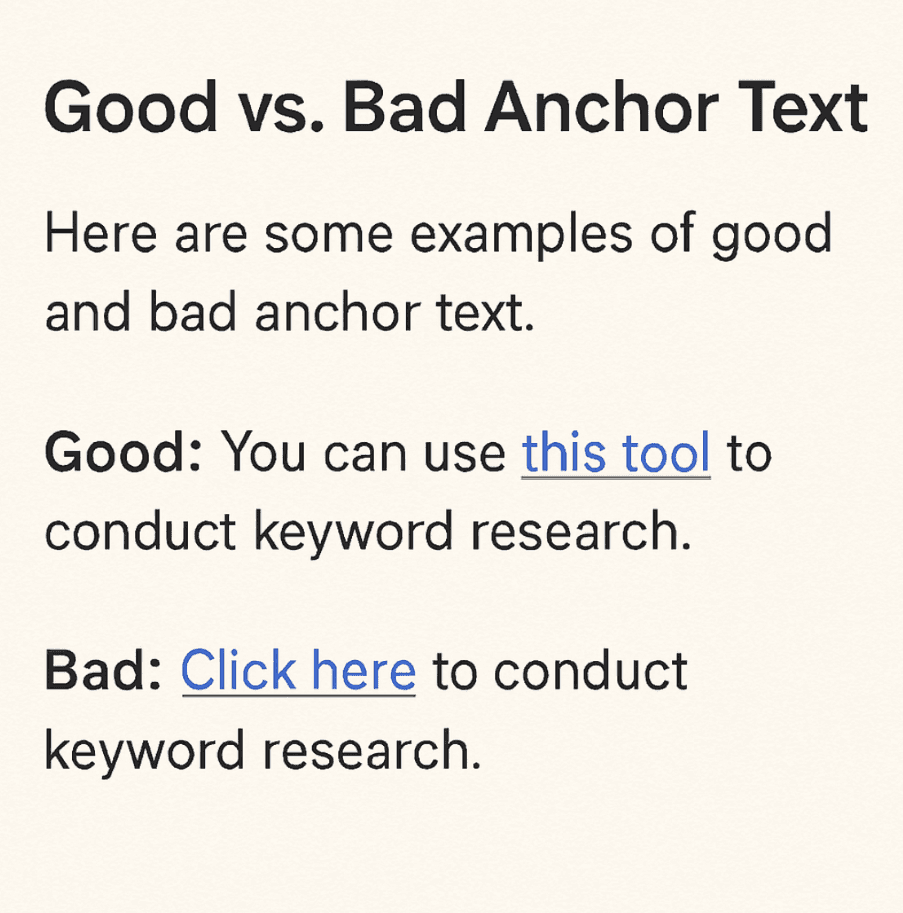
The clickable text of a link (the anchor text) acts as a massive ranking clue for search engines. However, spamming the same exact-match keyword over and over can actually trigger a penalty.
To stay safe and effective, follow anchor text optimization best practices:
To stay safe and effective, follow anchor text optimization best practices:
- Be Descriptive: Ensure the reader knows exactly what to expect when they click.
- Avoid Generic Phrases: Stop using "click here" or "read more." Instead use "read our guide on technical SEO."
- Vary Your Text: Use a natural mix of exact-match keywords, partial-match keywords, and branded terms.
- Keep it Natural: Only use keywords when they fit seamlessly into the sentence structure.
Automatic vs Manual Internal Linking
As your site grows, managing links can become tedious. This brings up the debate of automatic vs manual internal linking.
- Automatic Linking: Using WordPress plugins or SEO tools to automatically link specific keywords to specific pages. It is highly scalable and saves time, but it can result in unnatural placement or repetitive anchor text.
- Manual Linking: Hand-picking which pages to link to as you write or edit content. This guarantees high relevance and varied anchor text, but it is incredibly time-consuming.
The best approach? A hybrid. Use automation tools to identify internal linking opportunities or to manage "Related Posts" widgets at the bottom of articles, but rely on manual placement for your most important contextual body links.
Maintenance: Keeping Your Links Healthy
A website is a living, breathing entity. Over time, pages are deleted, URLs are changed, and new content is added. Without regular maintenance, your carefully crafted link structure will degrade. This is why knowing how to perform an internal link audit is a mandatory skill for any SEO professional.
Conducting the Audit
At least twice a year, use a crawling tool like Screaming Frog, Ahrefs, or Sitebulb to scan your domain. Look for:
- Broken Links (404s): Links pointing to deleted pages. These waste crawl budget and frustrate users. Update them immediately.
- Excessive Redirects: Linking to a URL that redirects to another URL slows down load times and dilutes link equity. Link directly to the final destination.
- Deep Pages: Pages that take more than 4 clicks to reach. Figure out how to link to them from higher-level category pages.
Rescuing Disconnected Content
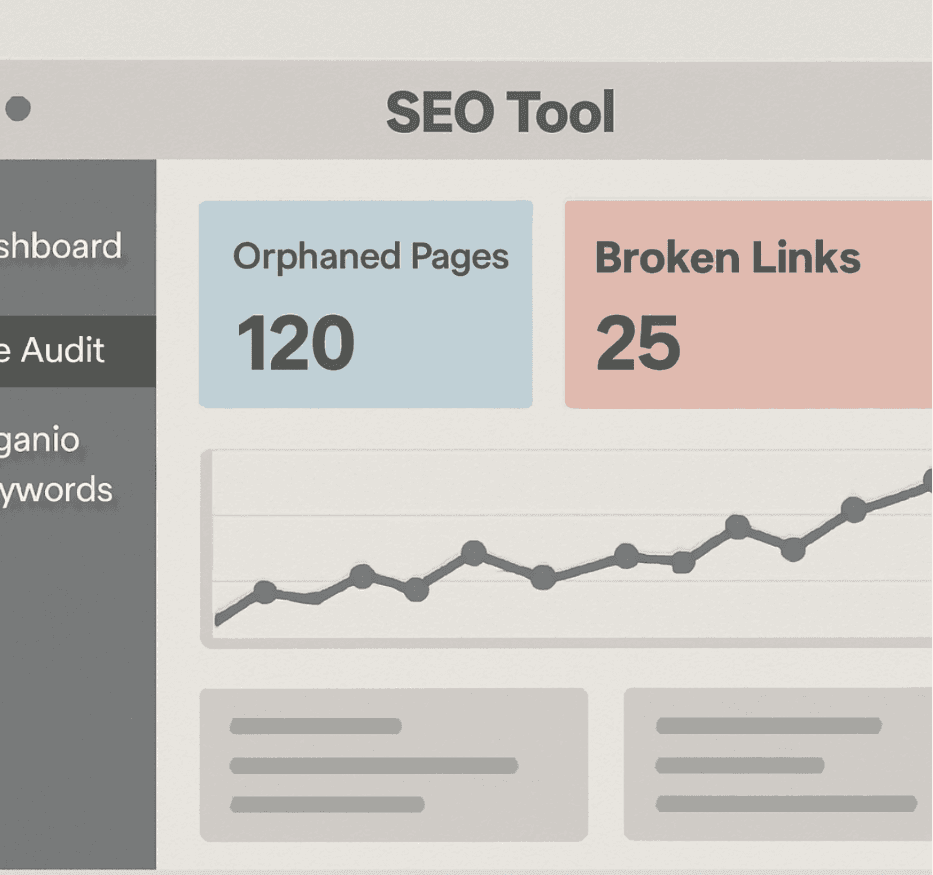
During your audit, one of your primary goals should be learning how to find and fix orphaned pages. An orphaned page is a live page on your website that has absolutely zero internal links pointing to it.
Because they have no incoming links, search engines struggle to find them, and they receive no passed PageRank. To fix this:
Because they have no incoming links, search engines struggle to find them, and they receive no passed PageRank. To fix this:
- Identify orphaned URLs using your SEO crawling tool.
- Evaluate if the page is still valuable. (If it is outdated trash, simply delete or redirect it).
- If it is valuable, go to a relevant, high-traffic page on your site and add a contextual link pointing to the orphan.
The Final Takeaway
You don't need to spend thousands of dollars on external link-building campaigns to see an immediate boost in your organic traffic. By unlocking the power of the content you already own, you can guide search engines, delight your users, and dominate the SERPs.
Remember, a successful strategy boils down to a logical structure, natural and descriptive anchor text, and regular audits to keep everything running smoothly. Start evaluating your content today, connect the dots, and watch your rankings climb. For assistance, utilize our Internal Linking Tool to enhance your strategy further.
Remember, a successful strategy boils down to a logical structure, natural and descriptive anchor text, and regular audits to keep everything running smoothly. Start evaluating your content today, connect the dots, and watch your rankings climb. For assistance, utilize our Internal Linking Tool to enhance your strategy further.
FAQ
Internal links are hyperlinks that connect one page of your website to another page on the same domain. They help in navigating your site and boosting SEO.
Internal links help search engines crawl your site more effectively and can pass link equity from high-authority pages to other pages, improving their rankings.
To create a strong internal linking strategy, focus on building a logical website hierarchy, using contextual link placement within your content, and optimizing anchor text.
It is recommended to perform an internal link audit at least twice a year to identify broken links, excessive redirects, and orphaned pages.
Yes, external links can complement your internal links by providing additional authority to your site. However, it is crucial to focus first on optimizing your internal linking structure.

Aziz J.
Co-founder @ ProgSEO.dev
Written By
Aziz is building ProgSEO.dev, a platform focused on automating SEO content production. He focuses on turning SEO into a system that consistently generates and updates content without manual workflows. Focused on building scalable SEO systems for SaaS and professional services.







