The semrush free plan gives you permanent access to core SEO toolsets for $0 per month without requiring payment details. Currently, Semrush's free account specifications limit you to 10 daily searches across analytical databases and a monthly 100-page crawl ceiling.
▶ Related Video
Semrush Free Trial 2026 | Get 14 Days FREE Instead of 7
Key Takeaways
- Ten daily requests. Domain Overview, Keyword Research, and backlink checks share a single combined pool of ten queries every 24 hours.
- Zero credit card requirement. You can bypass payment screens entirely during registration to secure a permanent free account instead of a recurring trial.
- Single project allowance. The free tier restricts your account to one project, one website to monitor, and ten tracked keywords.
- Monthly 100-page crawl. Site Audit analyzes up to 100 URLs per month, limiting technical analysis to boutique sites or landing pages.
- Ten-row reporting window. Analytical queries return only the top ten rows of data, cutting off long-tail keyword opportunities and deep competitor link profiles.
How to Create a Permanent Semrush Account Without a Credit Card
You do not need to enter payment details to get started on Semrush. In my experience, the setup process takes under two minutes if you avoid the trial opt-in screens.
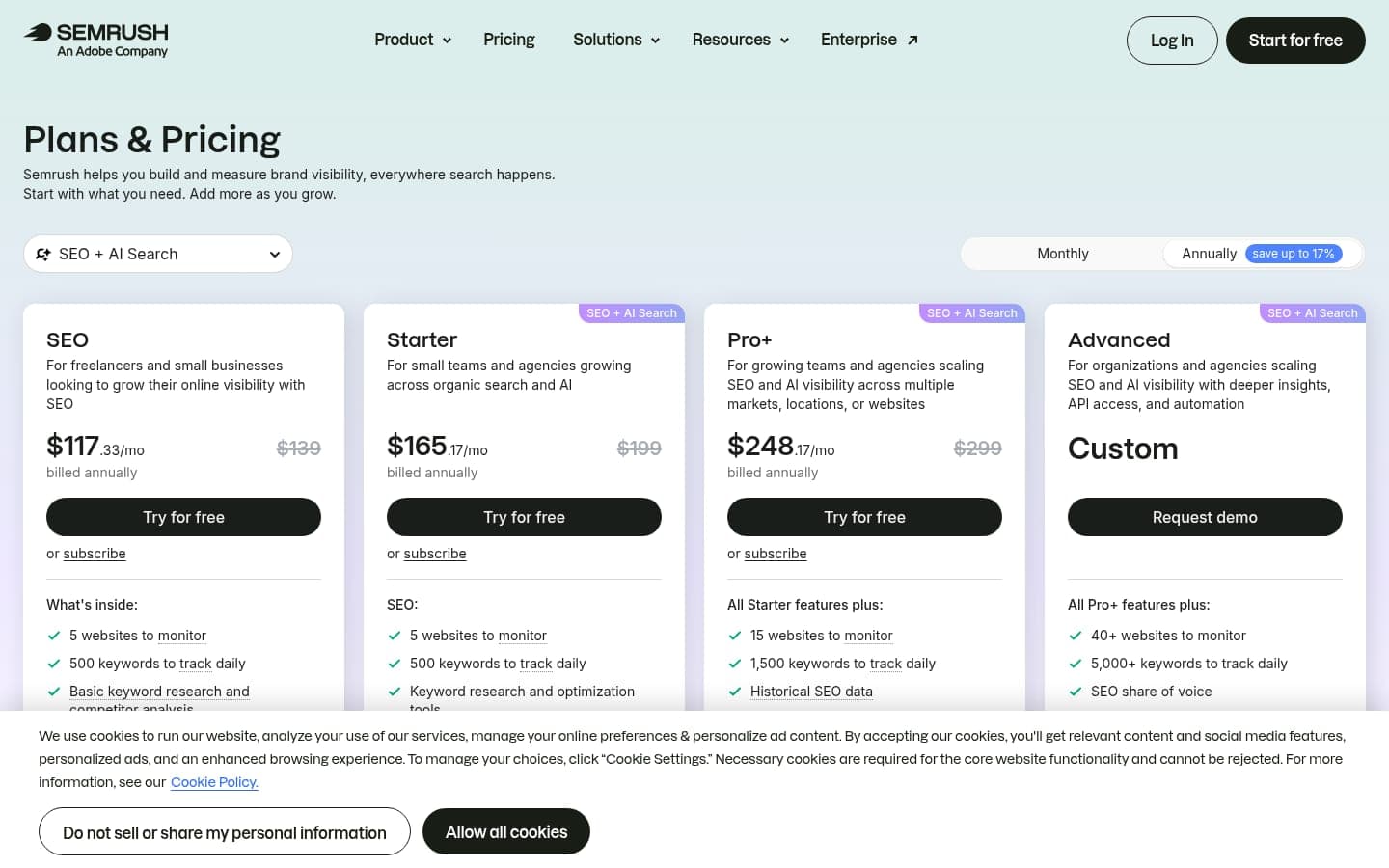
The biggest mistake people usually make is entering credit card numbers during onboarding. Doing so activates a temporary trial rather than the permanent free tier, risking unexpected subscription charges.
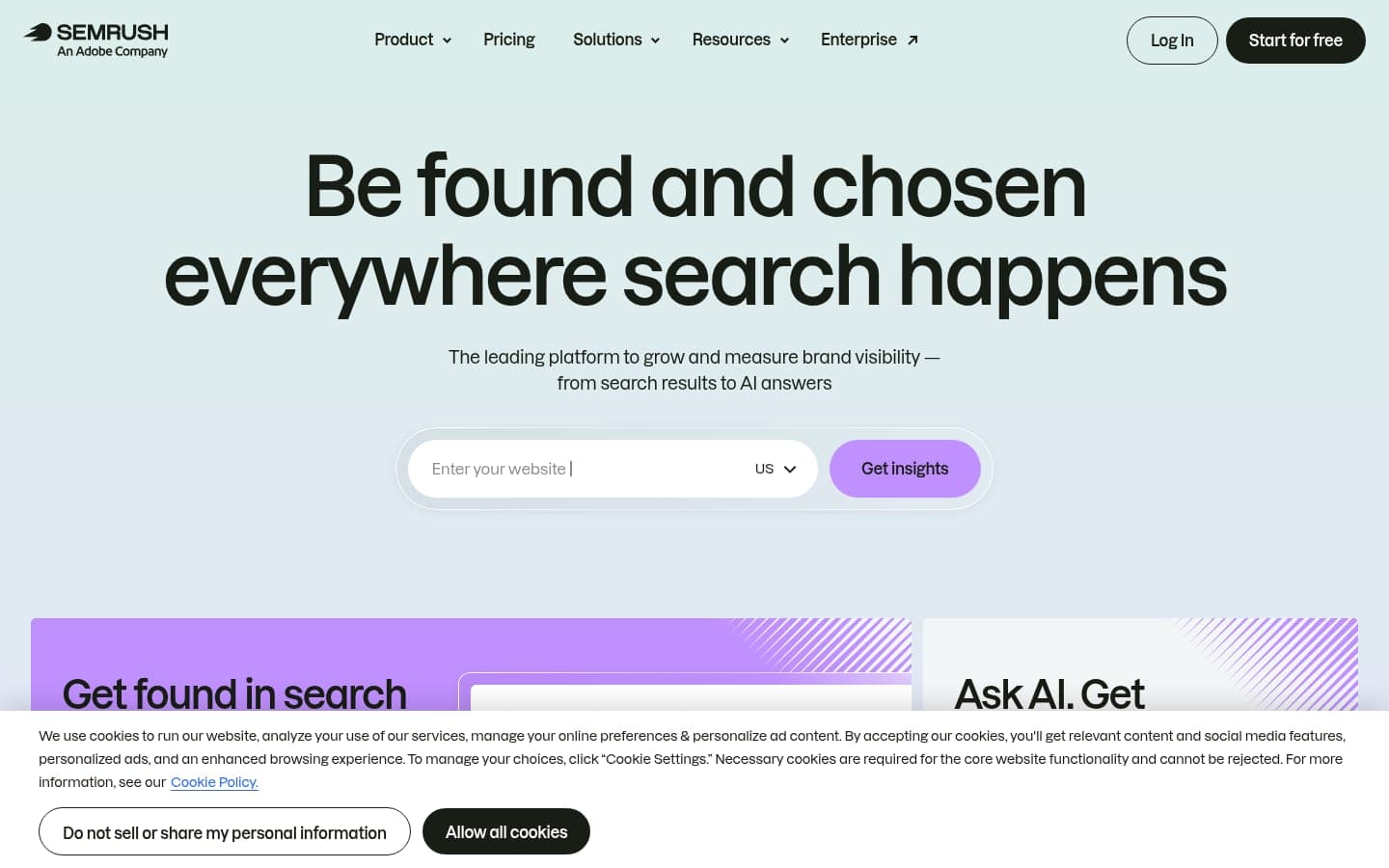
- Navigate to the official registration page via Semrush's pricing directory checked as of October 2026.
- Enter your work email address and select a secure password, or sign in through Google authentication.
- Verify your identity by pasting the numerical activation code sent directly to your inbox.
- When the payment gateway prompts you to start a Pro trial, click Skip trial or select Continue without trial at the bottom.
In my opinion, Semrush deliberately places the free trial screen prominently to steer newcomers toward recurring subscriptions. Skipping that interface drops your profile into the permanent free tier indefinitely.
Daily Search Limits for Keyword, Domain, and Backlink Analytics
Your analytical quota resets at midnight UTC and allows 10 queries/day across all competitive research modules. That shared pool covers Domain Overview, Keyword Research, and Backlinks analysis.
A second common mistake is burning through your daily allotment on typo queries or casual exploration. Opening multiple sub-reports for a single competitor domain consumes multiple requests from your balance.
10 queries/day
Total analytical reports allowed per day
10 rows
Maximum exportable data rows per report
1 project
Allowed monitoring workspaces
Every report displays only the top ten rows of data. If a domain ranks for 5,000 queries, you will only inspect its top ten rankings without an upgrade.
- Keyword Overview searches: Checking search volume, search intent, and CPC for one target term counts as one report.
- Domain Overview queries: Evaluating a rival's estimated organic traffic and top ranking keywords takes one request.
- Backlink Analytics lookups: Reviewing inbound link distributions and referring domains deducts one query from your ten.
- Competitor Research tables: Examining organic competitors inside competitive positioning maps consumes another daily request.
| Tool Module | Daily Limit | Data Rows Returned | Best Usage Pattern |
|---|---|---|---|
| Domain Overview | 10 queries/day | Top 10 entries | High-level competitor health checks |
| Keyword Research | 10 queries/day | Top 10 entries | Seed keyword validation |
| Backlink Analytics | 10 queries/day | Top 10 entries | Spotting top referring domains |
| Competitor Research | 10 queries/day | Top 10 entries | Direct competitor discovery |
In my opinion, ten reports per day are sufficient for routine spot-checks, but the ten-row limit cripples any serious competitor backlink gap audit. If you compare this against the eRank free plan or other niche platforms, Semrush is broader but far more restrictive per search.
For independent query verification, you can cross-examine high-level keyword volume trends alongside Ahrefs' free tools to preserve your Semrush quota.
Site Audit Limitations: What the 100-URL Crawl Ceiling Means
The free Site Audit tool caps your crawl allowance at 100 URLs per month. That includes both desktop and mobile crawling passes on your registered domain.
According to Google's search indexing documentation, modern websites frequently generate hundreds of auxiliary URLs via taxonomies, author pages, and paginated archives. A 100-page limit cannot cover a standard corporate blog.
- Fails on pagination: Auditing halts after 100 pages, leaving category archives and older blog posts uninspected.
- Misses image assets: JavaScript-heavy routes, CSS references, and media redirects quickly consume crawl credits.
- Ignores international alternates: Multi-language setups with localized subdirectories hit the quota within seconds.
I consider the 100-URL limit practically useless for growing stores, though it works fine for auditing a single landing page or personal portfolio. To monitor status codes and crawl anomalies across larger domains, you should rely on Google Search Console instead.
When evaluating server errors or redirect chains, reviewing status protocols on MDN Web Docs helps you fix technical issues flagged during your monthly 100-page scan.
Position Tracking Limits and the Single Project Cap
Free accounts permit 1 website to monitor and track exactly 10 keywords inside the Position Tracking suite. Rank updates refresh every 24 to 48 hours for your chosen geographic market.
Because you receive only 1 demo project slot, you cannot track multiple domains or segment separate client workspaces without deleting previous configurations.
“Ten keyword slots force extreme discipline. You must monitor high-intent conversion terms rather than vanity vanity search volume.”
- SEO Practitioner Review
- Select your top three revenue-generating product or service landing pages.
- Assign no more than two to three primary queries per target page to stay under the ten-keyword ceiling.
- Track local search variants if your business serves a distinct geographic region.
- Review weekly volatility shifts rather than obsessing over day-to-day rank fluctuations.
In my opinion, ten tracked keywords are too few to measure broad topical authority, but they provide reliable alerting for your primary commercial terms. For broader tracking, comparing workflows in our Moz vs Semrush vs Ahrefs comparison provides valuable perspective.
You can supplement rank tracking across search engines by submitting your primary sitemaps through Bing Webmaster Tools alongside your Semrush dashboard.
Ancillary Free Allowances: Content, Local, and On-Page SEO
Semrush includes several secondary tools on the free tier, though each features strict utility caps. These micro-allowances let you test optimization workflows without subscribing.
- On Page SEO Checker: You get one campaign with a limit of 10 pages or keywords analyzed for content and technical recommendations.
- Map Rank Tracker: You receive 50 free credits per month to audit local pack positioning across a geographic grid.
- AI Writing Tools: Built-in writing assistants allow generation of up to 300 words of text per request.
- Social Media Posters: Basic scheduling functionality remains open for connecting a single social profile.
I view the 300-word AI writing limit as a minimal demo rather than a production tool, while Semrush's free Listing Management tool offers a basic presence check/audit rather than 50 local credits.
If you are building content libraries at scale, testing dedicated software like our breakdown of ProgSEO vs Semrush for SaaS AI article writing highlights how limited native SEO writing tools can be.
For on-page optimization, structuring your technical tags around foundational Wikipedia SEO fundamentals and web accessibility guides on W3C Standards will deliver better results than relying solely on automated checkers.
Free Account vs. Paid Trial: Avoiding the Auto-Billing Trap
A permanent free account costs nothing and never expires, whereas a Pro or Guru free trial lasts 7 to 14 days and requires a credit card upfront.
If you do not cancel a trial before day seven, your credit card is automatically charged the standard monthly rate for a Semrush Pro plan.
- Billing risk: Free accounts never request credit cards, while trials convert directly into paid monthly billing cycles.
- Expiration timeline: Free accounts remain active permanently, whereas trial access terminates automatically after 7 or 14 days.
- Data breadth: Paid trials unlock the full 10,000 daily reports and deep filtering that free accounts withhold.
In my opinion, jumping directly into a paid trial before exhausting the permanent free account is unnecessary. Spend a week inside the free tier to understand its interface before testing high-tier features.
If you do need deep keyword research or comprehensive site crawls during a redesign, you can reference Moz's SEO beginner guide to plan your audit sprints before activating any time-limited trials.
When to Keep the Free Tier and When to Upgrade
The free tier suits solo bloggers, early-stage niche site owners, and developers who need occasional keyword volume checks without monthly overhead.
- You manage a personal site with fewer than 100 total indexed URLs.
- You only need to track rankings for a handful of core service keywords.
- You rely primarily on first-party telemetry from Google Search Console and analytics.
- Your monthly search marketing budget cannot justify enterprise software overhead.
Conversely, you should upgrade immediately if you operate client campaigns, run programmatic publishing models, or conduct deep competitor backlink gap audits.
- You analyze competitor link profiles that require thousands of exportable rows.
- You manage e-commerce websites with catalog structures exceeding 100 pages.
- You must report keyword progress across dozens of international SERP locations.
- You need daily scheduled crawls to catch critical site errors automatically.
I strongly believe that if your website does not generate at least triple the monthly cost of an SEO tool in gross revenue, you should remain on the free tier. Combining free tools with automated publishing workflows like ProgSEO vs Semrush for SaaS content generation provides better leverage for early ventures.
Consulting official webmaster guidelines on Google Search Central support gives you free direct feedback on search visibility without paying for proprietary ranking scores.
For teams looking to turn keyword discovery into published search assets without manual production bottlenecks, ProgSEO provides programmatic site generation built from your existing data.
A free Semrush account provides 10 daily searches across analytical tools, 1 project with 10 tracked keywords, and 100 monthly Site Audit crawl pages. You get it by signing up on Semrush's website and clicking 'Skip trial' when prompted for payment details.
Register using an email address, verify your account with the confirmation code, and skip the paid trial offer on the onboarding screen. This assigns you to the permanent free tier with no billing information required.
You receive a total of 10 daily searches across Domain Overview, Keyword Research, and Backlink Analytics combined. Each search returns a maximum of 10 data rows.
The free tier permits you to crawl up to 100 URLs per month across desktop or mobile passes for a single registered project domain.
The Semrush free plan is permanent and does not expire. It is distinct from the 7-day or 14-day Pro and Guru trials, which require credit cards and convert into paid plans.
Sources & References
- Semrush Blog — Official documentation of free account tool limitations and query quotas checked in October 2026.
- Semrush Pricing — Directory of subscription tiers and project limits as of October 2026.
- Google Search Central — Official search engine guidelines on crawl budgets, canonicalization, and indexing architecture.
- Google Search Console — Primary first-party diagnostic platform for index coverage and search performance.
- MDN Web Docs — Technical specifications for HTTP server response codes and redirects.
- Wikipedia — Reference overview of search engine optimization history, methods, and terminology.
- W3C — Web accessibility and document standards guidelines for clean site architecture.
- Ahrefs Blog — Practical industry insights on utilizing free search analysis toolsets.
- Bing Webmaster Tools — Search engine diagnostic reporting and sitemap submission portal.
- Moz — Educational guides on search marketing strategy and technical website optimization.
- Google Support — Best practices for managing site search appearance and resolving crawl errors.







